How Gemini turned public Google API keys into secrets
Zoran Gorgiev, Gavin Sutton
Table of contents
- How Google API keys work
- Why many applications expose API keys
- The trust model behind public API keys
- What changes when you enable Gemini APIs
- Credential scope drift in API keys
- Realistic abuse scenarios
- Security and privacy risks
- Why the Google API keys issue often remains hidden
- Measures to prevent or detect Google API keys misuse
- Equixly’s relevance to the problem
- Conclusion

You followed Google’s advice that your Maps or Firebase API key, created years ago, is safe to expose publicly. Then one day you wake up to a charge that, in just 48 hours, has risen 457 times above your typical monthly bill.
That’s what happened recently, and researchers confirmed it wasn’t a coincidence.
For over a decade, Google told developers that API keys, like those used for Maps and Firebase, are not secrets and that developers can safely embed them in public code. But Gemini changed that: those same keys can now authenticate requests to its AI APIs.
If your Google Cloud project enables Gemini services but its existing API keys lack proper restrictions, those keys can access Gemini endpoints, including sensitive ones. Embedded in public code, they allow anyone to send requests to the Gemini endpoints. Each request consumes costly tokens. As a result, outsiders can quickly rack up enormous costs for your organization. And that’s only one of the problems.
There are ways to restrict Google API keys, decouple them from Gemini, and avoid a crisis. However, the process can be much more cumbersome than it appears at first glance. Therefore, understanding how Google API keys work and how Gemini changes their risk profile is key at the moment.
This article explains the problem and shows where and how to implement stronger security controls to prevent Gemini from turning your publicly accessible Google API keys into a financial and security liability. It also explains how Equixly can help by testing APIs that call Gemini using project API keys, testing authorization controls around AI APIs, and exploring new attack paths introduced when services like Gemini are enabled.
Let’s take a look at the mechanism of this type of vulnerability more deeply.
How Google API keys work
A Google API key identifies the Google Cloud project that sends a request to a Google service. It does not represent a user, role, or service account. A typical key looks like this: AIzaSyA_example_key_123456789.
When a client sends a request to a supported API (a service), the key is included as a parameter. Here is an example request to the Google Maps Geocoding API: https://maps.googleapis.com/maps/api/geocode/json?address=1600+Amphitheatre+Parkway&key=AIzaSyA_example_key_123456789.
The API server uses the key to determine:
- Which Google Cloud project owns the request
- Which APIs the project allows
- Which quotas and billing rules apply
API keys, therefore, act as project identifiers and provide a streamlined way to authorize requests to specific APIs. They do not grant general privileges within Google Cloud.
More sensitive operations rely on stronger authentication. Google Cloud services often require:
- OAuth tokens
- Service account credentials
- IAM authorization
In contrast, API keys serve a narrower purpose. They allow simple access to APIs that support key-based authentication.
Why many applications expose API keys
Many Google APIs operate directly in browsers or mobile applications. Client software must call the API itself, which means the key cannot remain hidden.
Consider a basic Google Maps integration:
<script
  src="https://maps.googleapis.com/maps/api/js?key=AIzaSyA_example_key_123456789&callback=initMap"
  async
></script>
Anyone who loads the web page can view the key. The browser sends it in every request to Google’s servers.
This design works because API keys support restriction mechanisms. Developers can limit keys through:
- HTTP referrer restrictions
- IP address restrictions
- Android package restrictions
- iOS bundle restrictions
- API allowlists
These restrictions define where a key can appear and which APIs it may call. For example:
-
HTTP referrer restrictions:
https://example.com/*https://www.example.com/* -
An API allowlist:
Maps JavaScript APIGeocoding API
With proper restrictions in place, the key remains visible but cannot function outside its intended environment.
The trust model behind public API keys
This design reflects a concrete trust model.
   Browser app
        │
        │ (1) Sends request + API Key
        ▼
  Google API endpoint
        │
        │ (2) Validates Restrictions:
        │ • Is the website allowed?
        │ • Is the API allowed?
        ▼
  [ALLOW] or [REJECT]
And two assumptions support it:
- The key alone does not grant unrestricted access. The request must also originate from an allowed environment to pass the API’s security validation.
- Many APIs expose only limited, read-only functionality. They provide map tiles, translation, or other public data where misuse causes limited harm — usually negligible billing depletion rather than data theft.
These assumptions allow public keys to work safely, provided restrictions remain strict.
The model effectively manages risk but does not eliminate it. For this reason, security teams often still prefer server-side authentication. However, many frontend integrations depend on API keys.
What changes when you enable Gemini APIs
Gemini introduces a different type of service. Instead of simple data queries, the API performs intensive generative work. Consequently, each request can generate large responses and consume costly tokens.
A Gemini request can look like this:
curl "https://generativelanguage.googleapis.com/v1beta/models/gemini-pro:generateContent?key=YOUR_API_KEY" \
    -H 'Content-Type: application/json' \
    -d '{
      "contents": [{
        "parts": [{
          "text": "Explain the TLS handshake"
        }]
      }]
    }'
If you enable the Generative Language API in the project without restricting the key from the outset, a request following this structure — once provided with a valid key — will succeed. The key grants access to a billable AI service, creating financial and security risk.
However, that doesn’t happen automatically. Success depends on these conditions:
- The Generative Language API must be enabled in the project.
- The API key must either lack API restrictions or explicitly allow the service.
- Network restrictions must allow the request.
Suppose you have a safe configuration like the following:
Allowed APIs:
-Maps JavaScript API
In this case, since you’ve restricted the key to a specific API (Maps), any attempt to use it for Gemini will fail, even if the Gemini service is active in your project.
Credential scope drift in API keys
From a cybersecurity perspective, this phenomenon is a form of credential scope drift (scope creep).
The API key itself does not change. However, the set of services available to the project expands. And since unrestricted API keys can access any enabled API, the credentials’ effective capabilities expand accordingly.
This security risk worsens as environments grow. Many organizations accumulate API keys over time, so when they enable a new service like Gemini, these older, unrestricted keys automatically gain access. Moreover, this often happens without the security teams’ knowledge.
Traditional Google API key usage
    Web Application
            │
            │ (1) Request + API key
            ▼
     Maps JavaScript API
            │
            │ (2) Static data/Tiles
            ▼
         Response
Scope drift after Gemini enablement
    Web application
            │
            │ (1) Request + API Key
            ▼
     Google API endpoint
      (Project scope)
         /                 \
        ▼                   ▼
   Maps API           Gemini API
   (Low risk)         (High risk)
                            │
                            ▼
                  Model computation
Realistic abuse scenarios
Organizations often inadvertently leak API keys. Attackers can find them in:
- GitHub repositories: Hardcoded in source code
- JavaScript bundles: Minified but easily extracted
- Mobile application binaries: Accessible via reverse engineering
- Configuration files: Accidentally committed to version control
Automated scanners or bots constantly crawl the web for the Google API key fingerprint. A regular expression such as AIza[0-9A-Za-z\-_]{35} is sometimes all it takes to discover leaked API keys.
The attacker’s workflow
Once attackers discover a key, they don’t need a browser or a map. Testing for scope drift requires only a single curl command to a Gemini endpoint:
curl "https://generativelanguage.googleapis.com/v1beta/models/gemini-pro:generateContent?key=YOUR_STOLEN_KEY" \
  -H 'Content-Type: application/json' \
  -d '{"contents": [{"parts": [{"text": "Explain the TLS handshake"}]}]}'
If that request returns a 200 OK, the attacker knows they have found an unrestricted “Project Key” with AI capabilities.
Automated exploitation: Denial of Wallet
Attackers can then script this access to perform high-volume generative work at your expense. This is known as a Denial of Wallet (DoW) attack:
import requests

API_KEY = "AIza..." # The leaked key
URL = "https://generativelanguage.googleapis.com/v1beta/models/gemini-pro:generateContent"

payload = {
    "contents": [{"parts": [{"text": "Write a 2000-word essay on the history of LLMs."}]}]
}

# Rapid-fire requests to burn tokens
for i in range(1000):
    response = requests.post(f"{URL}?key={API_KEY}", json=payload, timeout=30)
    print(f"Request {i}: {response.status_code}")
The detection gap
Google Cloud does enforce quotas and budgets, but they are not an immediate kill switch:
- Billing lag: Budget alerts often have a 24- or 48-hour delay between spending and notification.
- Quota limits: Even with default quotas, an attacker can accumulate thousands of dollars in costs before you notice the spike.
- Token depletion: A request doesn’t just cost money; it consumes your project’s rate limits, potentially causing a denial of service (DoS) for legitimate users.
Security and privacy risks
Financial exhaustion is not the only problem you face upon the transition of a Google API key from a, say, Map key to a Gemini key. In the traditional model, a leaked Maps key was a nuisance. In the Gemini model, it can lead to anything from a reputation hijack to a full credential compromise.

Reputation hijacking and safety bypass
Google associates all API activity with your project ID. If an attacker uses your key to generate prohibited content — malware code, phishing lures, or extremist propaganda — the activity is logged as yours. That can lead to:
- Service suspension: Google’s safety filters may flag and terminate your entire cloud project.
- Attribution risk: In a forensic investigation, the malicious traffic appears to originate from your legitimate infrastructure.
Unauthorized access to fine-tuned models
If a project uses fine-tuned Gemini models trained on proprietary company data, internal documentation, or private customer interactions, an unrestricted API key may allow attackers to query those models directly. Through repeated prompting or extraction techniques, attackers can recover sensitive information that the model has memorized or internalized during training.
Impersonation of an AI identity
Attackers with your key can bypass your frontend’s guardrails and interact with the model directly. In such a scenario, they can use your project’s identity to conduct jailbreak attempts or generate harmful output that your application is supposed to prevent.
Exploiting the default-open architecture
Historically, security teams treated Google Maps API keys as public-facing artifacts rather than secrets. The problem is that thousands of these keys are currently hardcoded in public repositories.
Since Gemini is “default open” in many projects, these legacy artifacts have been unintentionally promoted to high-level security credentials. That creates an invisible attack surface where old, forgotten code becomes a gateway to your generative AI environment.
Data privacy and compliance failures
In the light of compliance requirements such as GDPR, HIPAA, or SOC2, an unrestricted API key is a failure of access controls. The key does not distinguish between a legitimate user and an attacker. Therefore, any personally identifiable information (PII) the model processes or contains in its context is effectively compromised the moment the key leaks.
Why the Google API keys issue often remains hidden
Certain operational habits contribute to the problem:
- Legacy API keys accumulate: Large projects often contain numerous keys that have been created over time, such as:
- Key 1: Web frontend
- Key 2: Mobile app
- Key 3: Testing tool
- Key 4: Legacy service
- Some keys lack API restrictions: Developers often configure only referrer restrictions. Without adequate API restrictions, the key can call any enabled API.
- New services appear later: Unrestricted API keys can call any enabled API in the project. When a project enables a new service, existing keys that lack API restrictions may already be able to call it.
- Security tools treat API keys as low priority: Secret scanners often flag Google API keys but rank them lower than strong credentials like OAuth tokens. That can lead teams to postpone remediation.
Measures to prevent or detect Google API keys misuse
The following defensive patterns will help you noticeably reduce your attack surface.
Restrict API keys to specific services
Never leave a key unrestricted. Apply an API allowlist to prevent a key intended for one task from being used for another.
Example
Allowed APIs:
Maps JavaScript API
(Gemini/Generative Language API is explicitly excluded)
Separate AI workloads into dedicated projects
Use project-level isolation. Keep your Maps and Gemini services in separate Google Cloud projects. That way, an unrestricted key leaked from the Maps project remains Gemini-proof because you haven’t enabled the AI API there.
Example
Project A (Customer facing)	               Project B (Internal AI)
Web APIs and Maps services	               Gemini services and AI workloads
Audit existing keys
Keep an inventory of your credentials to find “zombie” keys or those with expanded scopes.
Example
- List all keys:
gcloud services api-keys list --project=my-project
- Inspect restrictions (check for scope drift):
gcloud services api-keys describe KEY_ID --project=my-project
Monitor Gemini usage
Set up proactive monitoring in Cloud Logging to detect anomalies in generative requests.
Example
- Use this filter to find all Gemini-related activity:
resource.type="api" protoPayload.serviceName="generativelanguage.googleapis.com"
Configure budget alerts
Budget alerts are your last line of defense against DoW attacks. Indeed, they are not a circuit breaker, but they do provide the necessary signal to initiate incident response.
Example
50% of monthly budget: Early warning.
90% of monthly budget: Immediate investigation and key rotation.
Equixly’s relevance to the problem
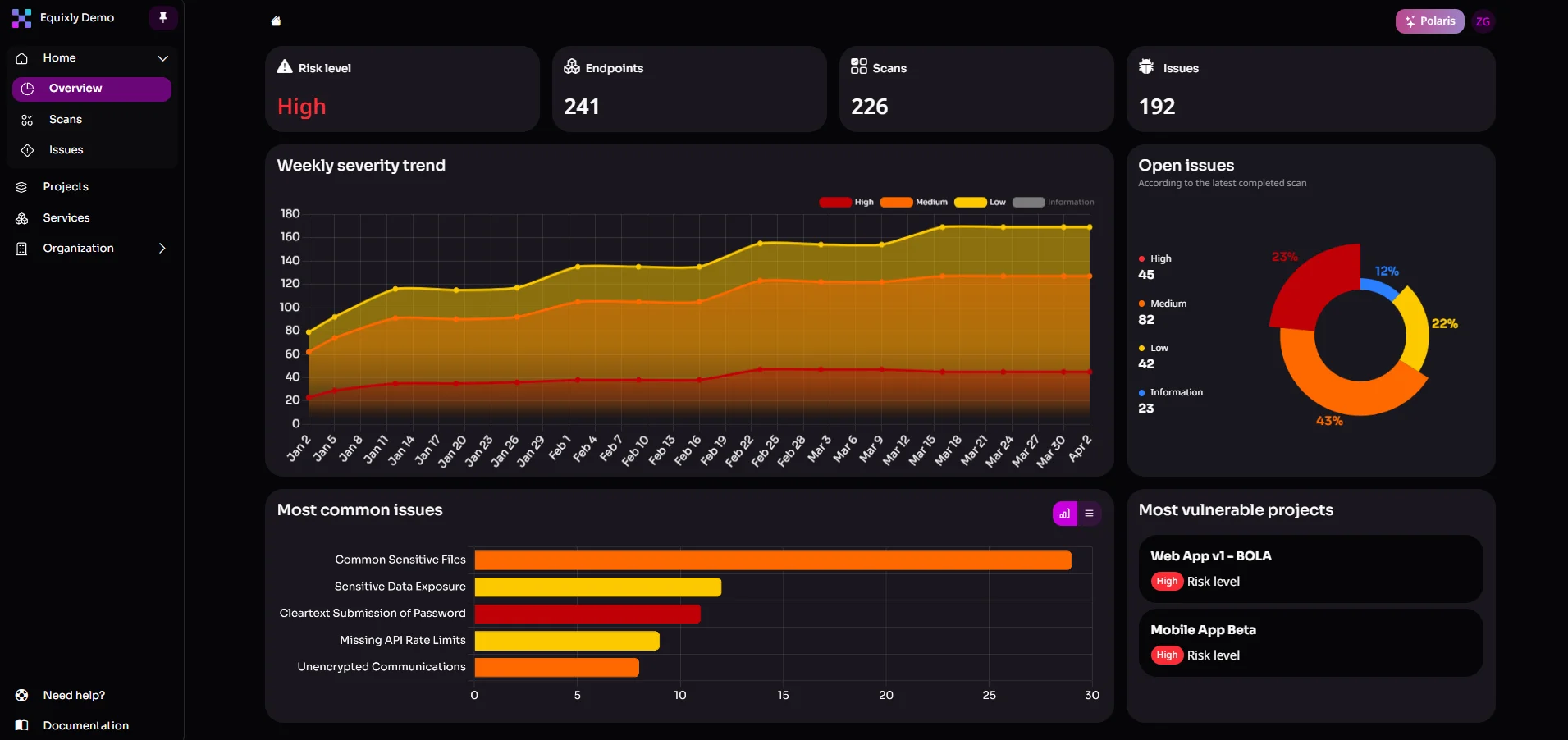
Equixly specializes in AI offensive security testing for APIs and API-based architectures, including AI/LLM-driven systems. In the context of the API key problem, it can help by:
- Testing APIs that call Gemini using project API keys: If a project enables Gemini and existing API keys gain access to Gemini endpoints, Equixly can test application APIs that use those keys and simulate an attacker using publicly exposed keys to determine whether the newly accessible functionality introduces exploitable behavior.
- Testing authorization controls around AI APIs: If an application exposes its own endpoints that internally call Gemini using a project API key, Equixly can test whether those endpoints properly restrict who can trigger AI operations or access their results.
- Exploring new attack paths introduced when services like Gemini are enabled: Enabling a new API in a cloud project can introduce additional callable endpoints or capabilities. Equixly can explore these endpoints and interactions to identify unintended behavior in systems that integrate with them.
- Using smart fuzzing to discover unexpected behavior in AI-enabled APIs: Automated request generation can test how AI-related API endpoints respond to unusual, malformed, or adversarial inputs once they become accessible through a project’s API key.
- Identifying business logic vulnerabilities in AI-enabled API workflows: When applications incorporate Gemini into business processes via APIs, Equixly can analyze whether the added capability introduces logic flaws, abuse scenarios, or unintended ways to trigger AI-driven functionality.
Conclusion
Google API keys have long served as lightweight identifiers for applications that call Google services. Restrictions such as referrers, IP allowlists, and API limits control how those keys operate.
Gemini introduces a new dimension. Once the Generative Language API is enabled in a project, API keys may expose endpoints that pose a combined financial, security, and privacy risk.
This risk does not stem from a single vulnerability. It results from the interaction between older API key practices and newly available services.
And you can address it with straightforward steps:
- Restrict API keys to specific services
- Isolate AI workloads into separate projects
- Review existing credentials
- Monitor API usage
An offensive security testing platform like Equixly complements these controls. It helps you discover weaknesses in API design as early as the development stage.
The broader lesson is simple. When a cloud platform introduces new services, older credentials may acquire new capabilities. Frequent review of API keys and restrictions, along with continuous security testing, helps you keep those capabilities under control.
Don’t let legacy keys break the bank. Reach out to secure your AI APIs.
FAQs
Why does enabling Gemini make my existing Google Maps API keys more dangerous?
If the Generative Language API is enabled in your project and your legacy keys lack specific API restrictions, they automatically gain the ability to authorize expensive, high-token AI requests.
Can referrer or IP restrictions alone protect my API keys from Gemini misuse?
No, because while those restrictions control where a request comes from, only an API allowlist can prevent a key from being used to call services it wasn't intended for, like Gemini.
How can I ensure my API architecture is resilient against these new Gemini-related vulnerabilities?
Beyond isolating AI workloads into separate projects, you should use Equixly to perform offensive security testing that uncovers hidden scope drift and authorization flaws before attackers can exploit them.

Zoran Gorgiev
Technical Content Specialist
Zoran is a technical content specialist with SEO mastery and practical cybersecurity and web technologies knowledge. He has rich international experience in content and product marketing, helping both small companies and large corporations implement effective content strategies and attain their marketing objectives. He applies his philosophical background to his writing to create intellectually stimulating content. Zoran is an avid learner who believes in continuous learning and never-ending skill polishing.

Gavin Sutton
Head of Marketing
Gavin is marketing leader with more than a decade of experience in the cybersecurity industry helping startups and scale ups grow internationally. He has a passion for working with disruptive technology companies who can reshape the security landscape with their innovative solutions.